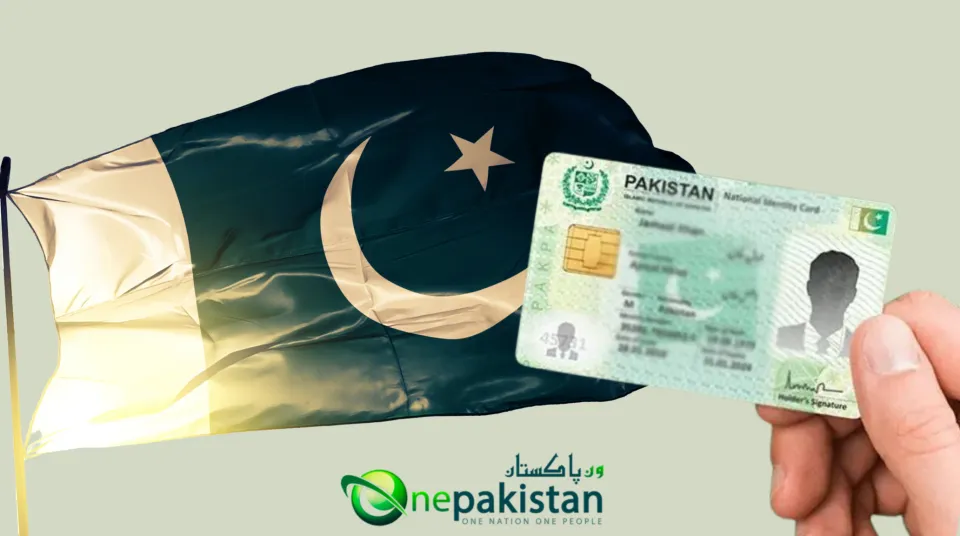
Renewing your CNIC through nadra id card renewal online is not only convenient but also eliminates the need to visit a NADRA center and wait in long queues. Whether your card is nearing expiry, already expired, or you are living abroad, the entire process can be completed from anywhere with just a smartphone or computer. By creating an account on the Pak-Identity portal, entering your personal details, uploading the required documents, paying the renewal fee, and submitting your fingerprints through the official mobile app, you can have your new CNIC delivered right to your doorstep without leaving your home.
How the online process flows
Create your Pak-Identity account and verify email and mobile.
Start a “Renewal” application and fill in personal details.
Upload the required documents and a recent photo with a plain white background.
Pay the fee with your preferred online method and save the e-receipt.
Submit fingerprints through the official mobile app when prompted.
Track your application with the ID shown on your receipt and wait for delivery.
Who should use this
Anyone whose CNIC is close to expiry or already expired.
Applicants who prefer applying from home, including those living abroad.
What to keep ready
A valid email and phone number for OTP verification.
Clear scans of the requested documents, such as your existing CNIC and proof of address.
A compliant photo taken in good light against a white background.
A card or wallet that can pay online.
A smartphone with the Pak-Identity app for fingerprints.
Tip: note your application ID as soon as you pay. You will need it to check status and delivery updates.
Documents and Photo Rules
Renewal is smooth when your files are ready. Use this checklist before you start the nadra id card renewal online form.
Documents you must have
Existing CNIC front and back, clear and readable
Proof of address, for example a recent utility bill or bank statement
Mobile number and email that you can verify with OTP
Family details as they appear on your record, including father or spouse CNIC number
If your details changed
New address: keep a valid proof of address
Name or marital status change: supporting evidence such as marriage certificate or court document
Date of birth or parent data corrections: relevant certificates that match the requested change
Tip: only upload what the form asks for. Extra documents slow things down.
If you are applying from abroad
Passport photo page copy
Proof of legal stay, for example visa or residence card
Foreign address proof if you want delivery outside Pakistan
CNIC photo requirements
Keep it simple and clean. These rules match what the online tool expects.
Plain white background, even lighting, no shadows
Face centered and fully visible, eyes open, neutral look
No sunglasses or tinted lenses, regular glasses are fine if eyes are clear
Head uncovered unless for religious reasons
No filters, heavy edits, or beauty effects
High resolution and sharp focus so facial features are clear
Scanning and upload tips
Color scans or photos of documents, not black and white
Crop out table edges and fingers, keep all corners visible
File types most portals accept are JPEG or PNG for photos and PDF or JPEG for documents
Keep file sizes sensible so the upload does not fail
Name files clearly, for example CNIC-front, CNIC-back, address-proof
Use these rules and your cnic renewal documents required box is ticked. Next, we will cover fees, processing time, and how to keep your e-receipt safe after payment.
Fees and Processing Time
You will see the nadra id card renewal fee online inside your Pak-Identity application. The amount depends on the card type, your delivery address, and the speed you choose.
Fee categories you can choose
Normal
Lowest fee. Standard timeline. Good if your CNIC is not urgently needed.Urgent
Higher fee. Faster printing and dispatch than Normal.Executive
Highest fee. Fastest processing and dispatch.
Tip: fee can vary for applicants in Pakistan and for those applying from abroad. The portal shows the exact figure for your case.
How to pay the fee
You can pay NADRA fee online with a bank card or supported mobile wallets. After payment, an e-receipt appears in your application along with your Application ID. Save the PDF and keep the ID safe.
If a payment attempt fails but your bank shows a deduction, note the bank reference and check your application after a short while. In most cases the status updates automatically.
Keywords covered: nadra id card renewal fee online, renewal id card fee online nadra, pay nadra fee online.
Processing time explained
Normal is the economical choice and takes the longest.
Urgent is quicker than Normal.
Executive is the quickest option.
Your dashboard shows the current status such as In-progress, Printed, or Dispatched. Delivery time can differ by city, rural area, or overseas address. Public holidays, incomplete documents, or fingerprint issues can extend timelines.
Keywords covered: cnic renewal processing time normal urgent executive.
What affects fees and timelines
Card type smart CNIC versus other categories
Delivery address within Pakistan or abroad
Quality of uploads clear documents and a compliant white-background photo reduce rejections
Biometrics clean thumb impressions speed up verification
Revisions any change you make after submission can add review time
Receipts and records
Keep the e-receipt and Application ID for status checks and delivery queries
You can re-download the receipt from your application if needed
Fees are generally not adjustable after submission, so pick your category carefully
With fees and timelines clear, you are ready to create your account and move to the actual form. Next, we will set up the Pak-Identity account and start the application.
Create Your Pak Identity Account
You need an account before you start nadra id card renewal online. This takes a few minutes if you have your email and phone in hand.
Sign up basics
Select Create Account
Enter your full name as it appears on your CNIC
Add a valid email and mobile number that you can verify
Set a strong password you will remember
Tip: keep your phone nearby. You will receive one code on email and one code on your mobile for OTP verification.
Verify email and mobile
Open your email and copy the code
Check your SMS and copy the code
Paste both codes to complete verification
If a code expires, request a new one and try again
This step activates your profile so you can start the online application for renewal of id card NADRA.
Complete your profile
Enter personal details exactly as on your CNIC
Confirm date of birth and parents or spouse information
Add your current address and a reachable contact number
Small spelling differences can trigger a manual review. Match your CNIC spelling character by character.
Security and recovery
Use a unique password, not used anywhere else
Save your recovery options in case you forget the password
Note your registered email and number in a safe place
Start the renewal form
Choose CNIC Renewal in the application list
Read the short checklist of documents and photo rules
Press Start to open the form and get your Application ID
Save your progress as you fill each page
If you need to change your address or marital status, select Modification instead of Renewal. Use Renewal when your details are the same and the card is near expiry or already expired.
Common sign up issues and fixes
OTP not received
Wait a minute, then resend the code. Check spam for the email code and ensure your phone has network for the SMS code.Account already exists
Use the Forgot Password option and reset from your email.Name or date of birth mismatch
Re-enter details as printed on your CNIC. Do not use nicknames or short forms.Browser problems
Close extra tabs, clear cache, and try again in an up to date browser.
Once the account is active, you are ready to move on. Next, we will open the form, upload documents and photo, and keep the nadra online ID card renewal process moving without delays.
Start the Online Renewal Application
This is where the NADRA online ID card renewal process actually begins. Your dashboard shows the option to start a renewal, create an application ID, and save progress as you go.
Choose the right service
Pick Renewal if your CNIC is expiring or expired and your details are the same.
Pick Modification if you need to change address, name, or marital status.
Do not start multiple drafts for the same CNIC. One clean application is easier to track.
Use this selection to keep NADRA ID card online renewal smooth and fast.
Fill personal information
Enter your name exactly as printed on your current CNIC.
Confirm date of birth, gender, parents or spouse details.
Match spellings and spacing. Even a small typo can trigger a manual review.
Tip: keep your existing CNIC nearby so you can copy fields accurately.
Add address and contact details
Current residential address for delivery.
City, district, and postal code that match your proof of address.
A reachable mobile number and email for updates.
If you plan to move soon, consider using an address where someone trusted can receive the card.
Select processing speed and card type
Choose Normal, Urgent, or Executive.
Pick the CNIC type shown to you based on eligibility.
The fee you saw earlier depends on these choices.
Choose carefully so you do not have to edit the application later.
Review summary before submitting
Read every field on the summary screen.
Fix any mismatch right now rather than after payment.
Confirm that documents you will upload match the details you entered.
A careful review keeps online ID card renewal NADRA error free.
Save and continue
Use Save after each page so nothing is lost.
Note down your application ID for future reference.
You can return to the draft from your dashboard at any time.
This approach works well if you plan to ID card renew online NADRA but want to collect documents first.
Common form errors and quick fixes
Name does not match record
Copy the spelling from your current CNIC exactly.Parent or spouse CNIC not recognized
Re-check the number. Remove spaces and special characters.Address not accepted
Align your address with the proof you will upload. Keep the same house number and street format.Wrong service selected
Delete the draft before payment and start a new one with the correct service.
Once the form is clean and saved, you are ready for the next step. We will upload documents and a compliant white background photo to keep the NADRA ID card renewal online journey on track.
Upload Documents and Photo
This step decides how smooth your NADRA ID card renewal online journey will be. Clean files get quick approvals. Blurry or incorrect files cause delays.
Document checklist
Existing CNIC front and back
Proof of address that matches the address you entered
Any supporting papers for changes such as marriage certificate or deed poll
Family Registration Certificate if the portal requests it
Passport page and proof of legal stay if you are applying from abroad
Scan and upload rules
Use color scans or clear mobile photos shot in good light
Keep all four corners visible and crop out the table or fingers
Align the document straight, not tilted
Save photos as JPG or PNG and multipage documents as PDF
Keep file size reasonable so the upload does not fail
Name files clearly such as CNIC-front, CNIC-back, address-proof
CNIC photo requirements
Your portrait should look like a passport photo.
Plain white background with even lighting
Face centered and fully visible
Eyes open and looking at the camera
No sunglasses or tinted lenses
Head uncovered unless for religious reasons
No filters or heavy edits
High resolution and sharp focus
Common rejection reasons and how to fix them
Blurry or dark photo
Retake in daylight or bright indoor light. Clean the camera lens and stand still while shooting.Background not white
Use a plain white wall. Avoid patterns or shadows.Glare on CNIC or document
Tilt slightly to remove reflection. Shoot from above with soft light.Address does not match form
Update the form or upload a matching proof such as a recent utility bill.Crooked or cut edges
Re-crop so the full document is visible with all corners.
Upload flow that works
Open the documents page inside the application
Upload CNIC front, then CNIC back
Upload proof of address and any requested supporting papers
Upload your portrait photo last so you can check it one more time
Press Save and review thumbnails before moving ahead
Quick tips for fast approval
Shoot documents on a flat surface with good light
Use the rear camera of your phone for better sharpness
Match spellings between documents and the form
Keep your passport and visa images ready if you are overseas
When documents and photo are clean, the NADRA online ID card renewal process moves fast into payment and biometrics. Ready for the next step? I will cover how to pay the fee online and save your e receipt without any confusion.
Pay the Fee Online
Once your documents are ready, pay the NADRA ID card renewal fee online to lock your application. The amount you see depends on Normal, Urgent, or Executive processing and your delivery address.
Payment methods that usually work
Debit or credit card
Mobile wallets where available
Bank transfer options shown inside the portal
Step by step payment flow
Open your application and choose the payment option
Confirm the fee category you selected earlier
Enter card or wallet details and submit
Wait on the screen until you see confirmation
Download the e receipt and note your Application ID
Tip: keep the browser tab open until you see success. Closing early can cause a pending status.
E receipt and Application ID
The e receipt is your proof of payment
The Application ID appears on the receipt and on your dashboard
Save the PDF and also copy the ID to a safe note
You will use this ID to track printing and delivery
If payment fails or stays pending
Check your bank app to see if the amount was deducted
If deducted but the portal still shows unpaid, wait a short while and refresh
If it remains pending, record the bank reference number and try again later
Avoid multiple rapid attempts with the same card to prevent holds
Using mobile wallets
Make sure the wallet has enough balance before starting
Approve any in app prompt that asks to confirm the transaction
For Jazzcash, Easypaisa NADRA payment, keep both the wallet app and your browser open so you do not miss a confirmation alert
Common payment mistakes
Typing the wrong card expiry or CVV
Paying with a card that has online payments blocked
Switching networks mid payment which can break the session
Closing the tab before the success message appears
After payment, what to check
Status on your dashboard should change to paid or in progress
The e receipt should be available for download at any time
Your next step is biometric verification, which will appear as a prompt when required
With the fee paid and the receipt saved, you are ready for fingerprints. Next, we will complete biometric verification smoothly so your NADRA ID card renewal online stays on track.
Biometric Verification
This step confirms your identity so the NADRA ID card renewal online application can move to printing and dispatch.
What happens here
You receive a prompt to complete biometric verification
You capture clear thumb impressions and finger scans using the official mobile app
The system checks your prints against your record and updates the status
Get ready before you start
Wash and dry hands so ridges are clear
Sit in bright, even light to avoid shadows
Keep a plain background under your fingers if the app uses the camera
Have your Application ID and registered mobile for OTP verification
Capture fingerprints with the app
Sign in with your Pak Identity account
Select your renewal Application ID
Follow the on screen guide for each finger that is requested
Place fingers flat, keep them still, and re capture if any image looks blurry
Submit and wait for the app to confirm upload
Tip: if a finger has a cut or worn ridges, try another finger when the app allows, then add a short note in the comments box if available.
If you are asked for in person capture
Sometimes the system may ask you to visit a nearby center for live biometrics.
Book a visit using your token number if the prompt appears
Carry your current CNIC and any documents you uploaded
Keep the same phone number active for OTP verification at the counter
Common errors and quick fixes
Fingerprint not clear
Clean the camera lens, brighten the room, and retake. Avoid glossy or patterned surfaces under your fingers.Mismatch with record
Re capture slowly. If the prompt repeats, proceed with the in person option shown in your application.App not accepting uploads
Check storage space, close other apps, and try again on a stable internet connection.OTP not arriving
Wait a minute and request a fresh code. Ensure the phone has network and the number matches your profile.
After you submit biometrics
Your dashboard moves from Waiting for Biometrics to In progress
Next stages are Printing and then Dispatched
You can continue to track status with the Application ID and keep an eye on delivery updates
Once biometrics are approved, you are close to the finish line. Next, we will check how to follow the status and arrange smooth delivery to your address.
Track Status and Delivery
After biometrics, your dashboard becomes your control room. Use your Application ID to track CNIC renewal status and watch each stage move forward.
Where you see updates
Application dashboard shows the live status
Email and SMS alerts confirm key steps
Your e-receipt carries the Application ID you need for any query
What the statuses mean
In progress
Your form, documents, and fingerprints are under review.Printed
Card has been produced and queued for dispatch.Dispatched
Card handed to the courier. Delivery countdown starts now.On hold
Something needs your attention. Open the application and read the note, then respond.
Delivery time at a glance
Big cities usually receive faster than remote areas
Overseas delivery can take longer due to customs and local courier schedules
Public holidays or incomplete details can add a few extra days
Tip: if you plan to travel soon, choose an address where someone trusted can receive the envelope.
CNIC home delivery tracking
Once you see Dispatched, you can start CNIC home delivery tracking using the courier reference that appears in your updates.
Keep your phone on for delivery calls or messages
Have a valid ID at hand if the courier asks for confirmation
If you miss a delivery attempt, request a redelivery window
If the card does not arrive
Check that your address and phone in the application are correct
Review alerts for any delivery exception
Use the courier reference to ask for the next available slot
If the item is marked returned to sender, update your address and request a fresh dispatch through the application
Keep your records safe
Store the e-receipt PDF and note the dispatch date
Keep a copy of your Application ID and courier number in your phone
Do not discard your old CNIC until the new one is in hand and verified
With tracking sorted, the final step is simple. Confirm delivery, check details on the new card, and store the old one safely if you need it for a record. Ready for the next section on city specific notes and overseas applications?
City Note: Karachi
If you plan to renew NADRA ID card in Karachi online, the steps stay the same. The only difference is how you handle address, delivery, and any in person requests.
Address and delivery tips
Write the full address with house or flat number, block, area, and postal code
Add a landmark that a courier can recognize
Use a phone number that stays reachable during working hours
If you live in an apartment, inform the guard or reception to accept delivery
Payment and notifications
Keep SMS and email alerts on so you do not miss any status change
Karachi deliveries often move quickly once the status shows Dispatched
If you work office hours, consider a delivery address where someone can receive the envelope
If you are asked to visit for biometrics
Pick a time slot that avoids rush hours so you are not stuck in traffic
Carry your current CNIC and the same phone for OTP
Take clean hands and trimmed nails for clear thumb impressions
Common Karachi issues and quick fixes
Address mismatch with proof
Align your form with the utility bill or bank statement you plan to uploadMissed courier call
Keep your phone on and check for a voicemail or SMS, then request a new timeName or spelling differences
Copy the spelling exactly as on your existing CNIC to avoid manual reviewDelivery to a closed office
Choose a home address if office hours are unpredictable
Timelines at a glance
Normal takes the longest, Urgent is faster, Executive is the quickest
Public holidays and weather can add a day or two
Clean documents, a compliant white background photo, and clear fingerprints keep things moving
With Karachi specific points covered, the next section explains how overseas Pakistanis can complete NADRA ID card renewal online from abroad without visiting a center in Pakistan.
Overseas Pakistanis
You can complete NADRA online ID renewal for overseas Pakistani from wherever you live. The flow stays similar to the local process with a few extra checks for documents and delivery.
Who can apply from abroad
Pakistani citizens with an expiring or expired CNIC
Residents on a valid visa or residence permit in the host country
Applicants who want delivery at a foreign or Pakistani address
Documents you should prepare
Existing CNIC front and back
Passport photo page copy
Proof of legal stay such as visa or residence card
Foreign address proof for delivery abroad or a local address proof if you prefer delivery in Pakistan
Supporting papers if you are changing address, name, or marital status
Address choice and delivery
You can pick one of two options.
Delivery to your foreign address
Delivery to a trusted address in Pakistan
Choose the one that is easier for you to receive. Make sure the proof you upload matches the address you select.
Photo and fingerprints from abroad
Take a fresh portrait on a plain white background
Use the official mobile app to capture fingerprints as guided
If the system cannot verify biometrics remotely, it may prompt you for in person capture at a nearby facility when available or during your next visit to Pakistan
Fees and timelines
Fees can differ for overseas delivery
Processing speed depends on the category you select
International courier time varies by country and local customs checks
Payment from outside Pakistan
Pay online with a supported card or wallet available to you
Save the e receipt and note your Application ID for future reference
If a payment attempt fails, wait a bit and try again after confirming with your bank
Tracking and handover
Watch your dashboard for status changes such as Printed and Dispatched
Keep your phone on for courier calls
If customs needs additional information, respond promptly so delivery does not stall
Common overseas issues and quick fixes
Address proof not accepted
Upload a recent utility bill or bank statement that shows your name and the same address you entered.Fingerprints not clear
Clean the camera lens, brighten the room, and capture again. Try the finger the app requests and hold steady.Courier could not reach you
Contact the courier with the reference number from your updates and set a new time.Travel plans changed
If you are leaving your country soon, use a Pakistani address where someone trusted can receive the envelope.
With the overseas flow covered, the next section explains the difference between renewal, duplicate, and modification so you always choose the right service for your case.
Renewal vs Duplicate vs Modification
Picking the right service saves time. Here is the simple rule for NADRA ID card online renewal and its close options.
When to choose Renewal
Use Renewal if your CNIC is expiring or already expired and your details are the same.
Good fit when:
Name, address, and marital status have not changed
You only want a fresh card with a new expiry
You plan to keep the same delivery address
When to choose Duplicate
Use Duplicate if the card is lost, stolen, or damaged but your details are unchanged.
Good fit when:
You need to get duplicate NADRA ID card online quickly
The printed data on your last CNIC was correct
You only need a replacement of the same record
Tip: if the card is lost and any detail also needs correction, pick Modification instead of Duplicate.
When to choose Modification
Use Modification when any personal data needs an update.
Common cases:
Modify address during CNIC renewal because you moved homes
Marital status update with renewal after marriage or divorce
Fix a spelling mistake in name or parent details
Update photo if the portal requests a new one for identification
This is the key difference between renewal and modification in CNIC. Renewal keeps data the same. Modification changes data and then issues a new card.
Documents you may need for each path
Renewal
Existing CNIC, proof of address if the system asks, fresh photoDuplicate
Existing CNIC copy if available, simple statement on loss or damage, fresh photoModification
Proof for the change you are making. For example a utility bill for a new address, a marriage certificate for marital status, or a court document for a name change
Fees and timelines
Renewal usually costs less than Modification
Duplicate is often similar to Renewal in cost and time
Modification can take longer because your new data needs review
Normal, Urgent, and Executive speeds still apply to each choice
How to switch if you picked the wrong service
If you have not paid, delete the draft and start the correct application
If you already paid, use the application messages to ask for the best next step before making changes
Keep your Application ID safe while you sort it out
Choose the option that matches your situation and the NADRA ID card renewal online process will stay smooth.
Quick Troubleshooting
If something slows your NADRA ID card renewal online, use these quick fixes before you worry.
OTP not received
Wait one minute, then request a new code
Check spam or promotions for the email code
Make sure the phone has network and the number matches your profile
Fee deducted but application still shows unpaid
Note the bank reference from your card or wallet
Refresh the application after a short while
If it still shows unpaid, try again later with the same browser session
Photo rejected
Retake the portrait in bright even light
Use a plain white background and remove shadows
Keep your face centered with eyes visible and no filters
Fingerprints not matching
Wash and dry hands so ridges are clear
Clean the phone camera lens and increase room light
Place the finger flat and hold still during capture
If a finger is injured, try the finger requested next by the app
Address does not match proof
Type the address exactly as it appears on the bill or bank statement
Include house or flat number, street, area, and postal code
Application on hold
Open the application and read the note carefully
Upload the specific document requested or correct the field mentioned
Save and submit again to move the review forward
Status stuck on in progress
Check that documents are clear and complete
Ensure biometrics are submitted for the correct Application ID
Give it some time if there are public holidays or peak seasons
Courier issues after dispatched
Keep the phone on for delivery calls or messages
Use the courier reference from your updates to request a new time
If the item returns to sender, update the address and ask for a fresh dispatch
Duplicate application created by mistake
Keep only one active draft for ID card renew online NADRA
Delete extra drafts before payment to avoid confusion
Need to correct a field after payment
Avoid changing data in random places
Use the application messages to ask for the correct next step
If a change is required, you may need to start a modification application
Payment errors that repeat
Confirm online payments are allowed on your card
Do not switch networks during payment
Close other tabs and try again in an up to date browser
Keep records safe
Save the e receipt PDF and copy the Application ID
Take a screenshot of the final confirmation page
Store your login email and phone in a secure note
These steps resolve most hiccups in NADRA ID card online renewal. Next, we can write a short FAQ to answer common questions in plain words.
FAQs
Q: How do I apply for NADRA ID card renew online?
Ans: Open your account on the portal, choose CNIC Renewal, fill the form, upload documents and photo, pay the fee, submit fingerprints in the mobile app, then track status until delivery. This is the complete NADRA online ID card renewal process in short.
Q: Can I renew before the card expires?
Ans: If the card is close to expiry you can start NADRA ID card renewal online and avoid a gap. Use Renewal when your details are unchanged.
Q: What is the processing time for Normal, Urgent, and Executive?
Ans: Normal takes the longest, Urgent is faster, Executive is the fastest. Timelines can move based on workload, holidays, and how clean your documents and fingerprints are. This covers CNIC renewal processing time normal urgent executive.
Q: How much is the fee and where do I see it?
Ans: You see the NADRA ID card renewal fee online inside your application after you pick Normal, Urgent, or Executive and select the delivery address. Fees can differ for applicants in Pakistan and overseas.
Q: Where do I get the renewal slip or receipt?
Ans: After payment you get an e-receipt and an Application ID on your dashboard. Save both. This is your NADRA ID card renewal slip online for future checks.
Q: Can I pay with JazzCash or Easypaisa?
Ans: Yes, where available you can use supported mobile wallets along with bank cards. Keep the wallet app open during payment and wait for the success message. This covers pay NADRA fee online and JazzCash, Easypaisa NADRA payment.
Q: How do I change my address while renewing?
Ans: Select Modification instead of Renewal, upload a valid proof of address, and fill the new address exactly as it appears on your document. This is the safest way to modify address during CNIC renewal.
Q: My card is lost. Should I do renewal or duplicate?
Ans: Choose duplicate if the card is lost, stolen, or damaged and your details are the same. Choose Modification if you also need a change in your record. Renewal is for expiring or expired cards with no changes.
Q: Can I renew from outside Pakistan?
Ans: Yes, Nadra online id renewal for overseas Pakistani works with passport page copy, proof of legal stay, and delivery to either your foreign address or a trusted address in Pakistan. Fingerprints are captured through the mobile app unless you are asked for in person capture.
Q: What are the photo rules?
Plain white background, even light, face centered, eyes open, no sunglasses or heavy edits. Use a sharp, recent photo that clearly shows facial features.
Q: The app says fingerprints not clear. What do I do?
Ans: Wash and dry hands, brighten the room, clean the phone camera lens, place the finger flat and hold steady. If a finger is injured, follow the app instructions for an alternate finger.
Q: How do I track printing and delivery?
Ans: Use your Application ID to see statuses such as in progress, Printed, and Dispatched. For CNIC home delivery tracking, use the courier reference shown in your updates and keep your phone reachable.
Q: Payment deducted but the application still shows unpaid?
Ans: Wait a short while and refresh the page. If it still shows unpaid, note the bank reference and try again later. Avoid rapid repeat attempts with the same card.
Q: Can I renew my card if it is already expired?
Yes, Start Renewal and proceed with the same steps. Delivery may take longer during peak periods, so upload clean documents and submit good fingerprints to keep things moving.
Q: What is the best way to avoid delays?
Ans: Match spellings with your current CNIC, upload sharp documents, use a compliant white background photo, and complete biometrics carefully. Keep the e-receipt and Application ID safe for any follow up.
Conclusion:
Now you know the full NADRA online ID card renewal process from sign up to delivery. Create your Pak Identity account, gather clean documents, upload a white background photo, pay NADRA fee online, complete biometrics, then track CNIC renewal status until the card arrives. Keep your e receipt and Application ID safe. If any step pauses, use the quick fixes in the troubleshooting section and you will be back on track.
Ready to start your NADRA ID card renewal online today? Open your account, begin the renewal form, and finish it in one sitting if your files are ready. The sooner you submit clean documents and fingerprints, the sooner your card is printed and dispatched.