
Seeing the status “Crawled - Currently Not Indexed” in Google Search Console can be confusing, especially for new website owners and bloggers. Google has visited your page, yet the URL does not appear in search results. This situation often raises concerns about technical errors or penalties, but in most cases, it signals quality or relevance issues rather than a serious problem.
This guide explains what “crawled but not indexed” means, why it commonly happens, and how to fix it using practical steps based on Google Search Console and on-page SEO best practices.
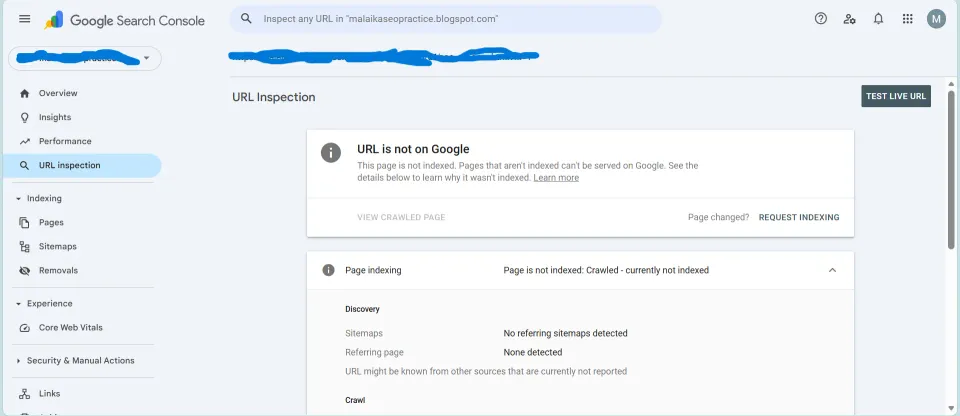
What “Crawled - Currently Not Indexed” Means
When Google’s crawler (Googlebot) reaches a URL, it adds the page to its crawl queue and records the request in the Crawl Stats report. If the crawl succeeds, Google evaluates the page to decide whether it deserves a spot in its index.
Crawled: Googlebot was able to fetch the HTML, CSS, JavaScript, and other resources the page references.
Not Indexed: After fetching, Google decided the page didn’t meet the quality, relevance, or technical criteria for inclusion, or it ran into an error that prevented indexing.
In Google Search Console, the “Coverage” report will list this status under “Crawled Currently Not Indexed” or “Submitted - Crawled - Indexed: No.”
Key Takeaway
This status is not a dead end. It is a diagnostic signal that helps identify what needs improvement before Google chooses to index the page.
Why This Happens to New Blogs
New websites frequently face indexing delays. Common reasons include thin content, incorrect meta directives, or weak internal linking. Below are some of the most frequent causes:
Common Cause | How It Triggers “Crawled but Not Indexed” | Typical Symptom in Google Search Console |
|---|---|---|
Thin or Duplicate Content | Google finds little or repeated information and sees no unique value | Crawled - Submitted - Indexing Failed |
Noindex Tag Present | Meta robots or X-Robots tag tells Google not to index the page | Crawled - Discovered - Noindex |
Wrong Canonical Tag | Canonical tag points to another URL | Crawled - Submitted - Duplicate |
No Internal Links | Pages are orphaned and deprioritized by Google | Crawled - Submitted - Orphan Page |
Slow Page Speed | Page loads slowly, reducing indexing priority | Crawled - Submitted - Page Load Issue |
Robots.txt Misconfiguration | Important resources blocked | Crawled - Submitted - Blocked by robots.txt |
Missing Structured Data | Google lacks context about page type | Crawled - Submitted - No Structured Data |
Practical Case Study: Fixing Crawled but Not Indexed Pages
A newly launched blog experienced indexing issues across multiple posts. The resolution process followed a step-by-step approach:
Day | Action Taken | Result |
|---|---|---|
Day 1 | Launched blog and published first posts | Pages not appearing in Google |
Day 2 | Ran URL Inspection for each URL | Confirmed crawling, no indexing |
Day 3 | Reviewed Coverage report and found stray noindex meta tag | Meta tag identified as the issue |
Day 4 | Removed <meta name="robots" content="noindex"> and re-submitted URLs | Some pages immediately indexed |
Day 5 | Checked robots.txt and allowed previously blocked URLs | Pages became crawlable |
Day 6 | Optimized page speed using lazy loading and image compression | Load time reduced from ~12s to ~4s |
Day 7 | Added internal links from homepage and related posts | Improved crawl depth and indexing priority |
Day 8 | Implemented Schema.org Article markup (JSON-LD) | Structured data errors resolved |
Day 9 | Submitted updated sitemap in Google Search Console | All URLs showed “Crawled – Indexed: Yes” |
Day 10 | Monitored performance | Pages continued to index and rank |
Common Mistakes to Avoid
Forgotten Noindex Tags
Draft templates sometimes include noindex directives that remain active after publishing.
Over-Restrictive Robots.txt
Blocking CSS, JavaScript, or image files can prevent Google from fully rendering a page.
Thin or Duplicate Content
Short or repetitive posts often fail to meet indexing quality thresholds.
No Internal Links
Orphaned pages receive lower priority during crawling and indexing.
Slow Page Load
Heavy images and unoptimized scripts increase crawl time and reduce indexing chances.
Missing Structured Data
Schema markup helps Google understand page purpose and improves indexing accuracy.
Step-by-Step Fixes
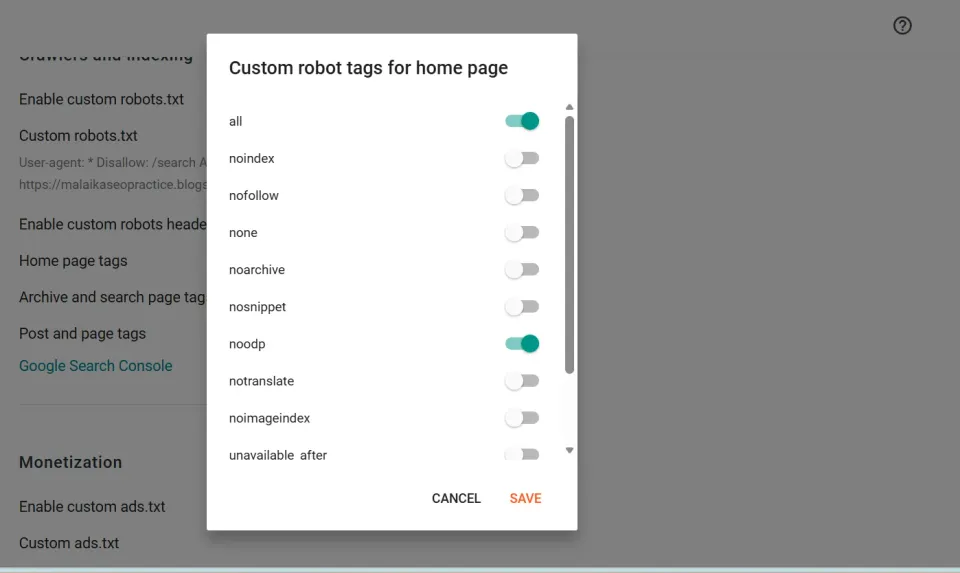
1. Remove Unwanted Noindex Directives
Delete or update <meta name="robots" content="noindex">
Ensure X-Robots-Tag headers do not block indexing
Check canonical tags point to the correct URL
2. Audit and Clean Robots.txt
Test using Google Search Console’s Robots.txt Tester
Ensure CSS, JS, and images are not blocked
3. Strengthen Content Quality
Minimum 300+ words per post
Ensure original, valuable content
Add actionable tips, examples, or data
4. Improve Internal Linking
Add contextual links to related posts
Include blog index link in homepage menu
Sidebar widgets (Recent Posts / Related Posts) help crawl depth
5. Optimize Page Speed
Compress images and enable lazy loading
Minify CSS/JS and implement caching
Ensure responsive images
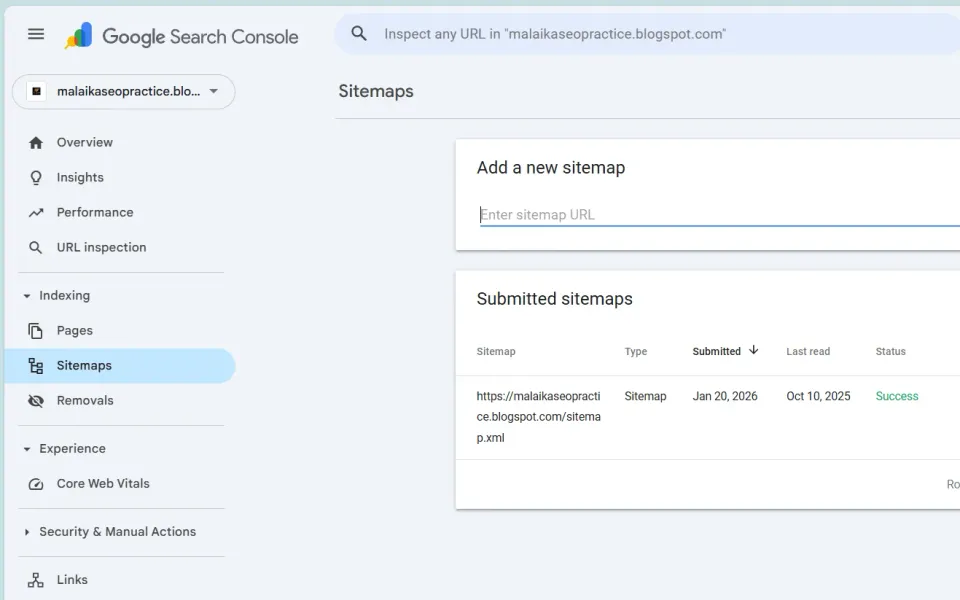
6. Resubmit Sitemap and Request Indexing
Generate updated sitemap
Submit via Google Search Console → Sitemaps
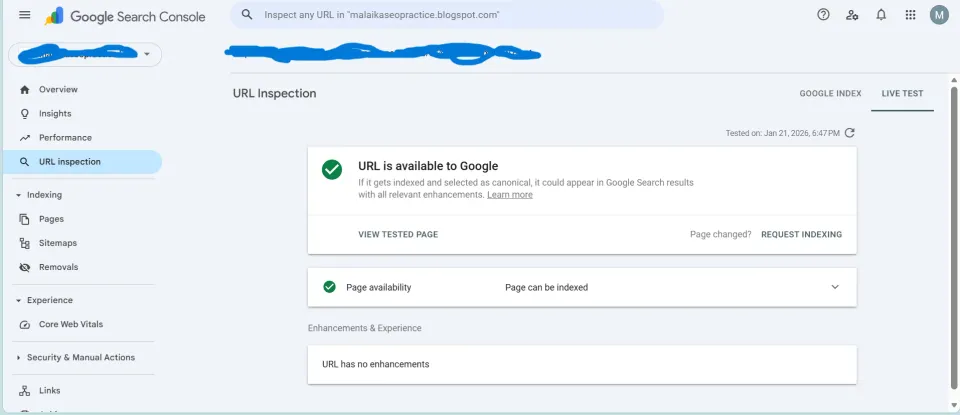
For key pages: URL Inspection → Request Indexing
7. Monitor Progress
Check Coverage report daily for “Indexed” status
Track impressions, clicks, and rankings
Typical fixes reflect in 24-48 hours; full ranking improvements may take 2-4 weeks
Final Advice for Beginners
Audit technical settings before publishing new content
Focus on quality rather than volume
Use Google Search Console regularly
Prioritize fast loading pages
Keep a simple log of fixes and changes
By following these steps consistently, website owners can improve indexation, strengthen search visibility, and avoid common SEO mistakes. SEO is a long-term process, and small, consistent improvements compound over time.
Frequently Asked Questions
What are crawl errors and how do they affect a website?
Crawl errors prevent search engines from accessing pages, which can reduce visibility and traffic.
What are common crawl error types?
404 errors, redirect issues, server errors, permission blocks, and slow response times.
Why is monitoring crawl errors important?
Early detection prevents indexing issues and protects organic performance.
How can crawl errors be fixed?
Google Search Console can identify issues, which can be resolved by fixing links, server problems, permissions, or performance bottlenecks.